Builder
Use the Flexim Builder to create and organize collections, single pages, components, and the custom fields that define their content.
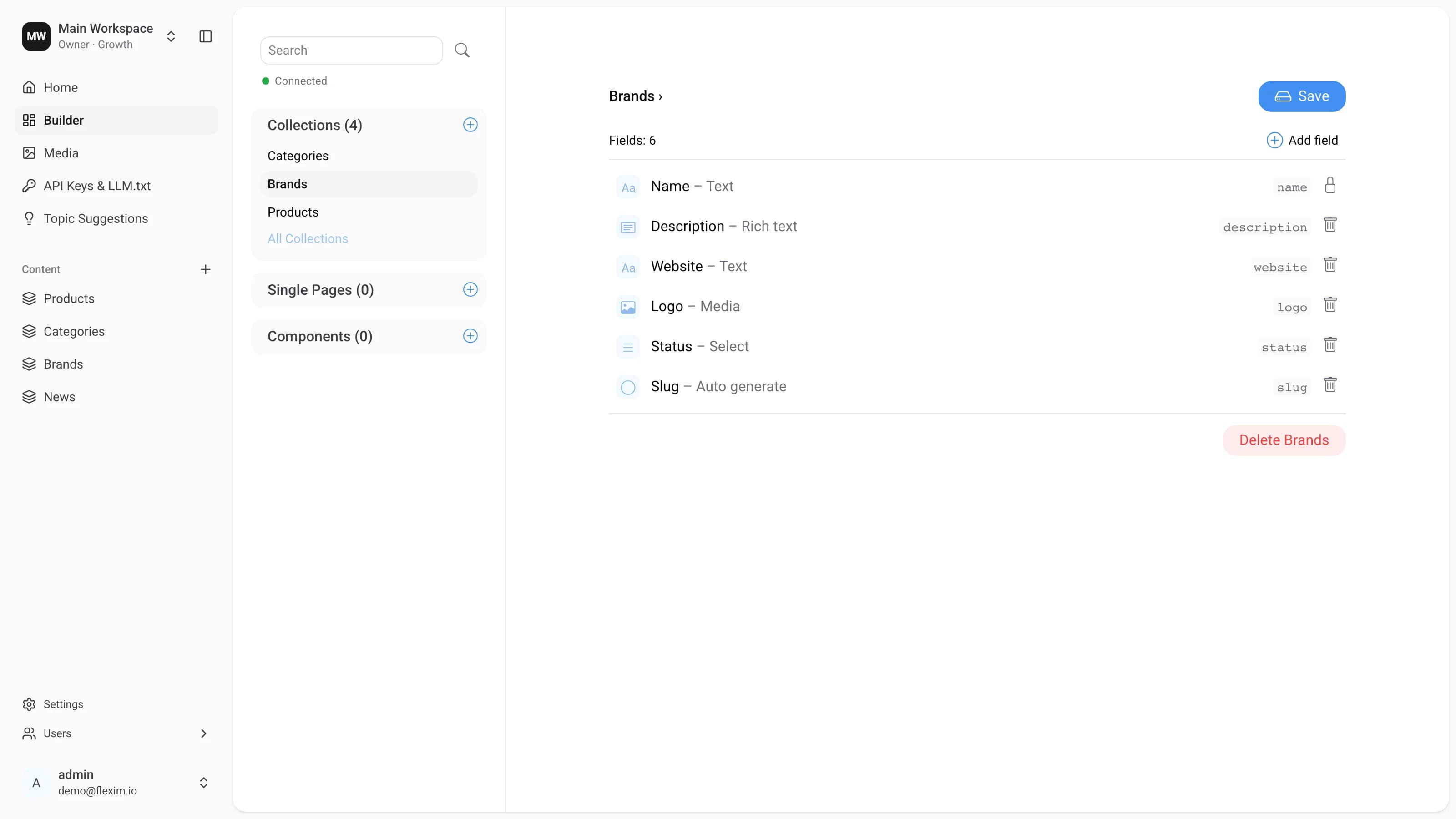
The constructor is one of the main functions of the CMS. You open it from the Builder item in the sidebar, and it lets you create and manage different forms of content:
- Collection: groups of entries. For example, a blog with different articles, products in an online store, or a list of authors — any content that repeats.
- Single page: a single, unique entry. For example, the home page of a website or an "About us" page — any content that is not repeated.
- Component: a reusable group of fields shared across collections and single pages. For example, an SEO block or an image carousel that can be added both to a blog article and to the home page.
Main elements
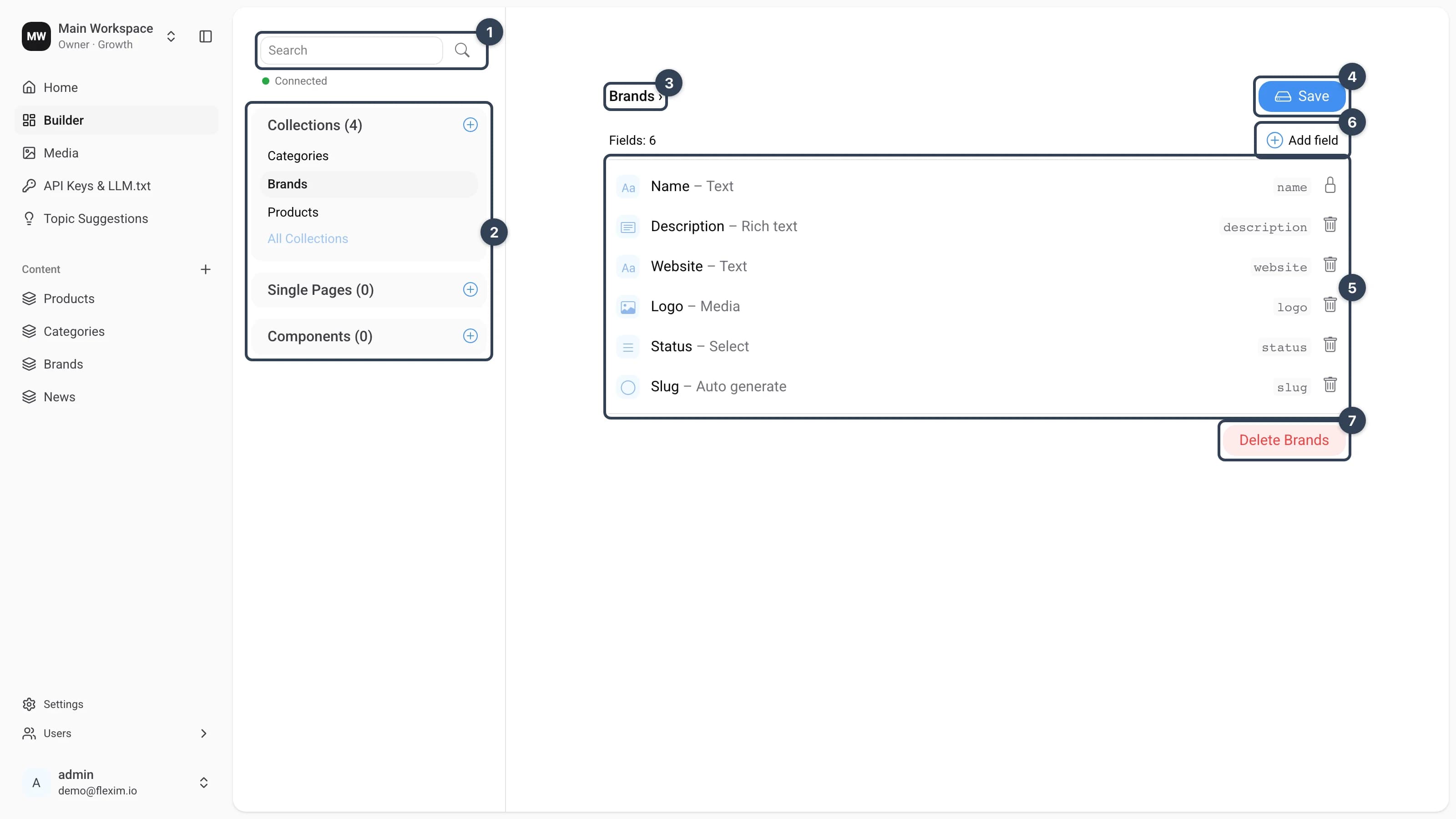
- Search bar Lets you find a content-type by name.
- List of content-types
Grouped into Collections, Single Pages, and Components. Each group shows how many content-types it contains, and the
+button next to a group creates a new one there. - Name of the opened content-type Shows the display name of the content-type you are currently editing.
- Control buttons
Savestores your changes to the content-type.Discard changesappears once you have unsaved edits and reverts them. - List of fields
The
Fieldscounter above the list shows how many fields the content-type has. Each row is one field: a type icon, its display name and type (for example,Name – Text), the database name on the right, and a lock icon for preset fields that can't be removed or a trash icon to delete custom ones. - Button to add fields
Add fieldappends a new field to the opened content-type. - Button to delete content-type Deletes the opened content-type irrevocably.
Read more on this topic