Templates
Launch a Flexim workspace from a content template, review the generated schema, and adapt its collections and fields.
Templates (schemes) are ready-made content structures that let you bootstrap a workspace in seconds instead of building every collection and field by hand. Each template ships a complete, best-practice schema you can create with one click and then adjust to fit your project.
Where to find templates
You pick a template on the Choose a scheme step of onboarding, under Launch your first scheme on the workspace home page.
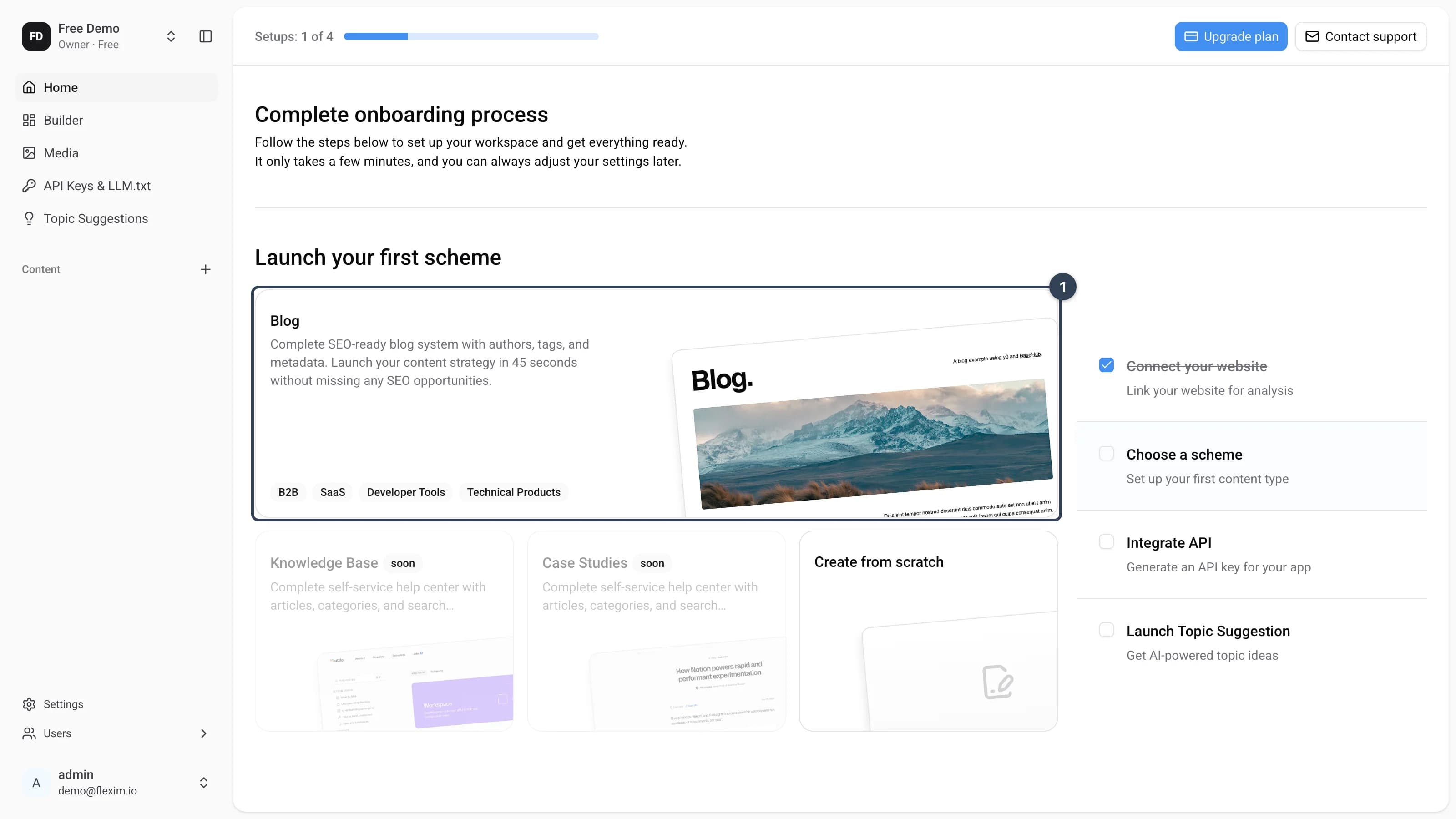
Right now the ready-made Blog scheme is available, while Knowledge Base and Case Studies are marked soon. If you'd rather build everything yourself, choose Create from scratch — it opens a brand-new collection with a single required Name field, and you add the rest of the fields by hand.
What a template contains
Selecting a template — for example Blog — opens a detail view that lists everything the scheme will create: its collections and components, each with its preset fields.
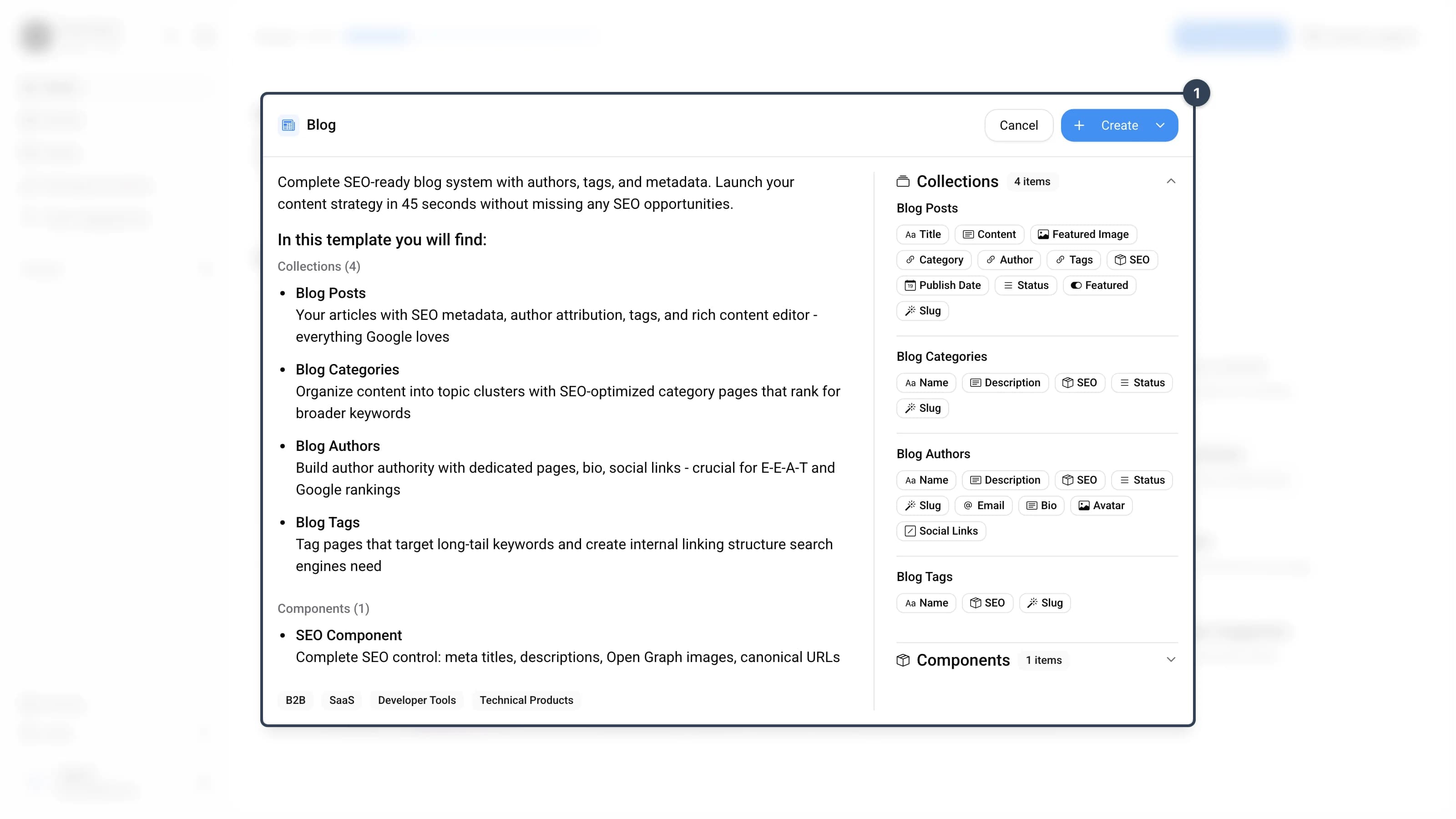
The Blog scheme sets up four collections — Blog Posts, Blog Categories, Blog Authors, Blog Tags — and an SEO component, all with SEO-ready fields (title, content, featured image, author, tags, publish date, slug, and more).
Creating the scheme
Use the Create button to add the scheme to your workspace. Its dropdown offers two modes:
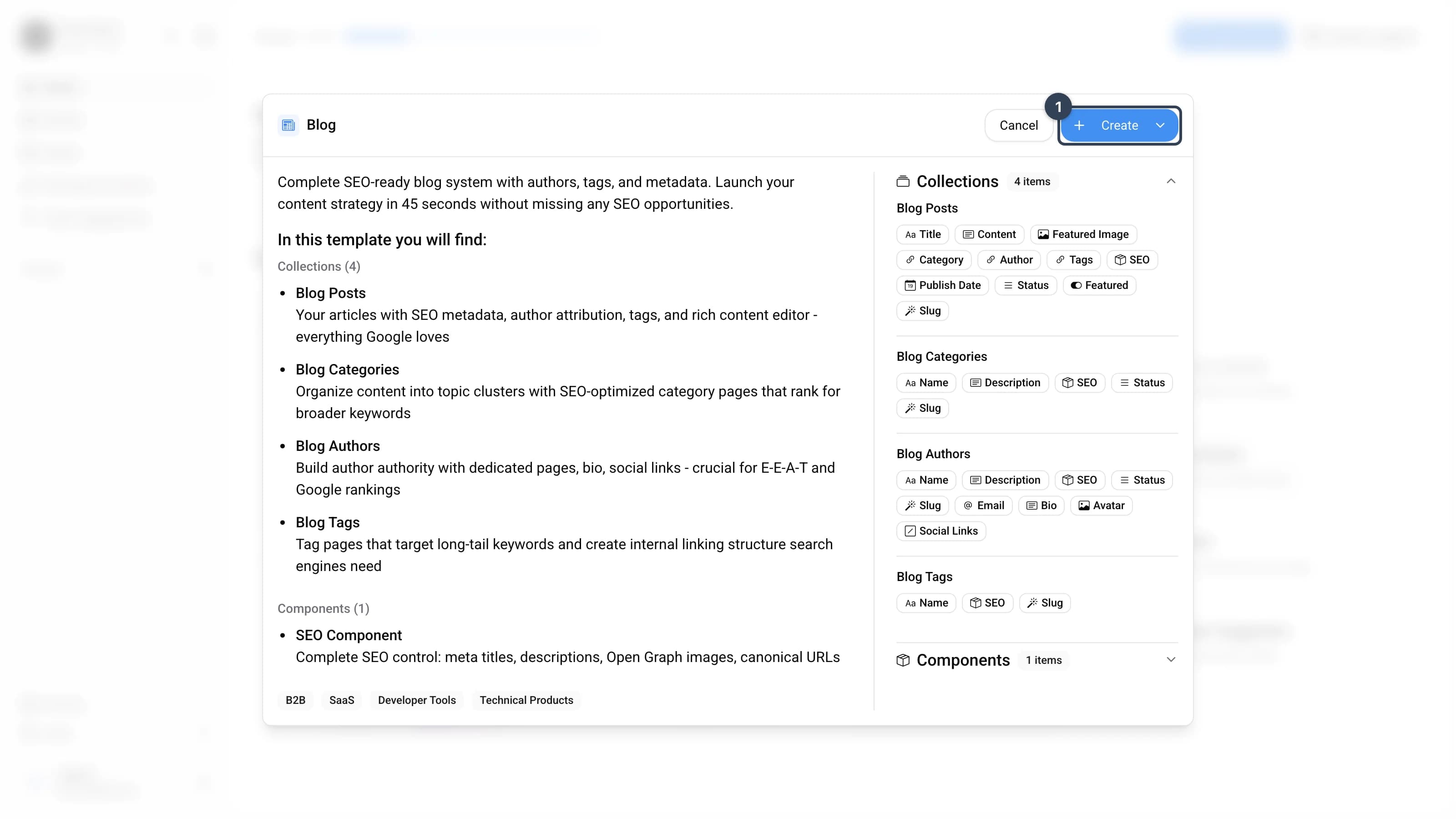
- Schema only — creates the collections, components, and fields, leaving them empty for your own content.
- With sample data — creates the same structure and fills it with example entries so you can explore the result immediately.
Templates are a starting point
Everything a template creates is a normal collection or component. After creating it you can rename it, add or remove your own fields, and edit or delete the entries just like anything you build yourself.
Read more on this topic
Read next topic — Collection